
Last updated: October 10, 2026
Key Takeaways
- Semrush is the strongest all-in-one paid option for beginners who need research, audits, and tracking together.
- Mangools is a simpler keyword-and-rank tool for beginners who want less complexity than a big suite.
- Ubersuggest is a low-friction starter for quick keyword ideas and a basic audit.
Some links here are partner links. It costs you nothing and may pay us a commission.
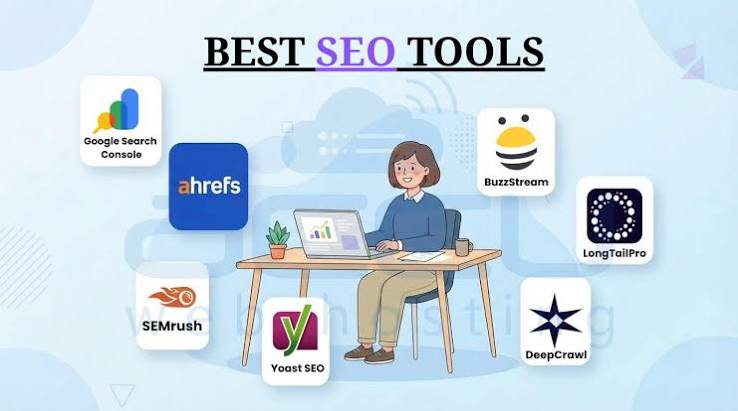
Quick answer: Start with Google Search Console if you want free diagnostics. Add Ahrefs Webmaster Tools for backlink and technical checks. Bring in Screaming Frog SEO Spider when crawl-level detail matters. Want one paid suite? Semrush is the easiest all-in-one starting point; for the gentlest content-first workflow, Mangools wins.
We built this shortlist from product documentation, pricing pages, and independent reviews. Then we cut it down to the tools beginners actually use: keyword research, site auditing, rank tracking, backlink checks, and content planning.
First published 10 October 2026.
How we compared
We lined up the major beginner-friendly SEO tools by setup time, free access, feature breadth, and how fast a new site owner can act on the data. Current product pages, help docs, and reviewer commentary were all part of the read-through, and then we filtered for beginner-friendly setup, clear limits, and a path from free tier to paid plan that does not strand a new site owner in a tool they outgrow in 3 months.
A beginner does not need the deepest data lake on day one. Signal matters more than spectacle. Which tool gives the most useful signal with the least setup? Which one still feels worth paying for once a site reaches 20, 50, or 200 pages?
Google Search Console is free. Semrush entry plans are paid. Screaming Frog offers a limited free crawl. That split matters more than marketing copy.
Quick picks for beginners
| Tool | Best for | Free tier? | Starts at | Where to start |
|---|---|---|---|---|
| Google Search Console | Site owners who need search data straight from Google | Yes | Free | Start with Coverage, Performance, and Sitemaps |
| Ahrefs Webmaster Tools | Free technical audits and backlink visibility for verified sites | Yes | Free | Start with Site Audit and Backlinks |
| Screaming Frog SEO Spider | Desktop crawls and on-page audits | Yes, limited crawl | Paid desktop license; check current plan | Start with a crawl of your top 100 pages |
| Semrush | One paid suite for keyword research, audits, and rank tracking | Limited trial access | Check current plan | Start with Keyword Overview and Site Audit |
| Mangools | Simpler keyword research and rank tracking | Limited trial access | Check current plan | Start with KWFinder and SERPWatcher |
| Ubersuggest | Low-friction keyword ideas and basic audits | Limited free use | Check current plan | Start with keyword ideas and site audit |
Google Search Console: best free starting point
Google Search Console is the first tool we would set up for a beginner because it shows how Google already sees the site, and that matters more than any third-party estimate unless the site is still not indexed. Free diagnostics beat guesswork every time. It is the right first step for site owners who want search queries, indexing status, and page-level performance without paying for a suite, unless they need keyword research outside their own site.
Setup takes a little attention because the account is free and tied to a verified property. Once live, the Performance report shows queries and pages. The Indexing reports show what Google can and cannot crawl. The Sitemaps area helps confirm discovery. Google documents these reports in its Search Console Help center.
Pros
- It is the source that matters most for your own site, so the query and impression data come from Google rather than an estimate.
- The Performance report can show which pages already attract clicks, which means you can fix titles and content before spending on a paid keyword tool.
- The Coverage and Page indexing reports point at crawl and index problems, which is enough for many small sites to find broken templates or accidental noindex tags.
Cons
- It does not do true keyword research for competitors, so you still need another tool if you want topic ideas beyond your own pages.
- Verification comes first. That means absolute beginners who want a quick anonymous check will have to finish DNS, HTML file, or tag setup first.
- The interface is plain and the reports are technical. Someone who wants marketing copy and not diagnostics will find it spartan.
Pricing reality: The free tier is the whole product. No upgrade gate sits inside Search Console. The trade-off is plain: it only tells you about your own verified property, not the wider keyword market.
The lock-in question: Export is possible through the Search Console API and interface downloads, but the real lock-in is practical rather than contractual. Leave, and you lose historical data that only exists inside your Google property, plus any trend lines you did not already archive.
Use the free tier if you need the first layer of truth for an existing site with pages already indexed. Skip it if you want a keyword discovery engine for planning content before launch.
Ahrefs Webmaster Tools: best free technical check
Ahrefs Webmaster Tools is a strong free second step for a beginner because it gives you site audits and backlink visibility without asking you to commit to a full paid suite on day one. It fits site owners who have already set up Search Console and now need another view of crawl errors, internal linking, and referring pages, unless they want deep rank tracking or broad keyword databases.
The free Webmaster Tools tier is tied to verified sites, so the focus stays on your property rather than a generic keyword sandbox. Useful, honestly, if the main pain is “what is broken on my site?” rather than “what should I write next?”
Pros
- The Site Audit gives a beginner a clear list of technical issues, which means you can fix broken titles, redirects, or 404s before moving to content work.
- Backlink data is the main reason people keep Ahrefs around, and even the free tools can help you see who links to you and where the obvious gaps are.
- The reporting is easier to read than many enterprise SEO dashboards, which helps a new site owner avoid drowning in menus.
Cons
- The free tier is scoped to verified sites, so it is not a general-purpose research playground for competitor analysis.
- It will not replace a paid keyword platform once you need volume estimates, ranking difficulty, or large-scale topic discovery.
- If your site has only a handful of pages, the value can feel thin because the audit has fewer surfaces to diagnose. If you are unsure whether a small site needs a technical audit, check with a qualified SEO professional before making changes that affect crawling or indexing.
Pricing reality: The free tier is enough for verified-site audits and backlink checks, but keyword research and broader competitive tools live behind paid plans. For a team of five, the per-seat cost rises quickly on paid plans, so this is usually a better solo-owner or lean team buy than a broad seat rollout.
The lock-in question: Data export is possible in parts, but the value of the account is in the audit history and backlink tracking that sit inside Ahrefs. If you leave, you can take reports with you, but you do not take the live database or future crawling history.
Start the free tier if your site is already verified and you want a cleaner diagnosis than Search Console gives. Skip it if you have no live site yet or if you need a cheap competitor keyword engine.
Screaming Frog SEO Spider: best for crawling pages
Screaming Frog SEO Spider is the best crawl-first tool for beginners who want to inspect a site page by page, because it shows on-page SEO problems in a format that mirrors the site structure. It is the right pick for someone comfortable with a desktop app and a CSV export, unless they want a cloud dashboard that does the thinking for them.
The free version is limited, which is exactly why it works as an entry point: a beginner can crawl a small site and learn the anatomy of titles, headings, canonicals, and response codes without paying for a suite immediately. Once a site gets bigger, the cap bites fast.
Pros
- The crawl view exposes titles, meta descriptions, status codes, canonicals, and headings in one place. One crawl can reveal a month of cleanup work.
- It is a desktop tool, so it is faster for many small audits than waiting for a cloud crawl queue.
- CSV exports make it easy to hand issues to a developer or content editor who does not want to log into another platform.
Cons
- The free crawl limit is strict, so larger sites hit the wall quickly and must move to a paid license.
- It is technical enough that a beginner with no SEO vocabulary will need a glossary open in another tab.
- It does not provide the content research or keyword ideas that a full suite does, so it is one piece of the stack, not the stack.
Pricing reality: The free tier is for small crawls only; the paid version is a desktop license rather than a seat-heavy cloud platform. For a team of five, the economics are better if one person owns crawling and exports findings to the rest, because buying multiple desktop licenses for light use is hard to justify.
The lock-in question: Export is excellent because the tool is built around CSVs and local files. The flip side is that the audit history is yours to manage; if you leave, you keep the exports, but there is no central SaaS archive to fall back on.
Choose it if you want a page-level audit tool that teaches structure instead of hiding it. Skip it if you want rank tracking or keyword research in the same login.
Semrush: best all-in-one paid suite
Semrush is the best all-in-one paid suite for beginners who already know they will need keyword research, site audits, and rank tracking in the same place. It is the right answer for a new marketer or small business owner who wants one login to cover most of the SEO workflow, unless they dislike a denser interface and broader feature set.
Semrush has the most obvious “do everything” shape in this group, which is why beginners often land there after the free tools. Convenience is the payoff; crowding is the penalty. Semrush says its database covers billions of keywords and domain records, which is why it can feel broad very quickly.
Pros
- The suite covers research, audits, and tracking under one roof, which means fewer tools to learn and fewer exports to stitch together.
- The keyword and competitor views are broad enough to support content planning once your site moves past its first few pages.
- A single paid platform is easier to explain to a client or boss than three separate subscriptions.
Cons
- The interface can overwhelm a first-timer, especially if they only need technical fixes and not a full marketing stack.
- The useful reports live behind a paid plan, so the free access is more of a teaser than a workflow.
- For a team of five, the seat cost and feature overlap can add up if only one or two people actively use the platform.
Pricing reality: At the time of writing, the entry plan is paid and the trial access is limited, with the real value arriving only once you move past the introductory layer. For a five-person team, the practical question is not “Can everyone log in?” but “Will all five actually use enough of the feature set to justify the per-seat cost?”
The lock-in question: Semrush lets you export many reports, but the live value sits in its stored projects, tracked keywords, and campaign history. If you leave, your exports come with you, but your longitudinal reporting and saved dashboards do not.
Start the free trial if you want one dashboard for most beginner SEO tasks and you can tolerate a busier interface. Skip it if you only need technical audits or only need keyword ideas for a small content site.
Mangools: best simple keyword tool
Mangools is a strong simple keyword tool for beginners who want keyword ideas and rank tracking without the heaviness of an enterprise suite. It is a strong fit for solo site owners and very small teams that need clear graphs and easy filters, unless they want deep technical auditing or large-scale competitor research.
The appeal here is focus. Instead of trying to be everything, Mangools stays in the lane of keyword discovery, rank monitoring, and straightforward SEO planning, which is often exactly what a beginner needs in month one. Mangools keeps the workflow focused on a few core tasks rather than a long feature list.
Pros
- The keyword workflow is easy to understand, which means less time learning the tool and more time choosing topics.
- Rank tracking is approachable for a small site, so you can watch a handful of pages without living inside a giant dashboard.
- The lighter feature set makes the product less intimidating than a large suite.
Cons
- It is not the best choice if your first problem is site health, because technical auditing is not its main strength.
- Beginners who want link analysis, content audits, and deep competitor data will outgrow it faster than they expect.
- For a five-person team, a narrow tool can create tool sprawl if you still need another product for crawling or backlink work.
Pricing reality: The product is paid, with a limited entry point and plans billed monthly or yearly at the time of writing. For a team of five, the key question is whether only one person uses it; if everyone needs access, the per-seat math becomes less friendly than it first looks.
The lock-in question: Export options exist for core data, but the value of the account is in tracked projects and saved keyword lists. If you leave, you can keep your exports, yet you lose the ongoing rank history that gives the tool most of its usefulness.
Choose it if you want a more lightweight keyword tool than the bigger suites. Skip it if your site needs crawling, logic, and technical diagnosis before content planning.
Ubersuggest: best low-friction starter for content ideas
Ubersuggest is a low-friction starter for beginners who want quick keyword ideas and a basic audit without learning a complicated platform first. It suits a freelancer, side project owner, or local business trying to find content topics fast, unless they need the depth and consistency of a stronger technical stack.
Its appeal is speed. You can move from a seed keyword to topic ideas and simple checks with less ceremony than many bigger platforms require, which is useful when a beginner wants momentum rather than a long setup. The keyword and audit flow is intentionally lightweight, which is part of why it feels easy to use.
Pros
- It reduces the number of clicks between a keyword and a content idea, which makes early planning feel manageable.
- The basic site audit can point at obvious fixes, so you are not staring at a blank page.
- It is friendlier for a first SEO purchase than a suite with more toggles than explanations.
Cons
- The data depth is not the same as a premium all-in-one suite, so serious competitive research can run out of runway.
- The free use is limited enough that many beginners will bump into the paywall early.
- It will not replace a true technical stack if the site already has indexing or crawl problems.
Pricing reality: Ubersuggest has a limited free experience and paid plans for broader use, so it works best as a starter rather than a forever tool. For a team of five, the main question is whether it will be used often enough to justify paying for a tool that still leaves technical work elsewhere.
The lock-in question: Some export is possible, but the practical value is in the convenience of the interface and the saved work inside the account. If you leave, you keep your ideas and reports, but you lose the speed that makes the tool feel easy in the first place.
Start here if you want a simple way to move from keyword ideas to a basic audit. Skip it if you need stronger data depth or if a site already has serious technical debt.
Which one should you choose?
Choose Google Search Console first if you have a live site and want the most reliable baseline data from Google. Choose Ahrefs Webmaster Tools next if you want technical checks and backlink visibility without paying immediately. Choose Screaming Frog SEO Spider if you need crawl-level detail and are comfortable with exports.
Ready to pay for one platform? Pick Semrush when you want the broadest beginner toolkit in one login. Pick Mangools when you want a simpler keyword workflow. Pick Ubersuggest when you want the quickest possible start and do not need deep technical coverage.
That order works for most small sites because it matches the real sequence of beginner needs: verify what Google sees, fix obvious problems, then expand into keyword research and tracking.
FAQ
What is the best free SEO tool for beginners?
Google Search Console is the best free SEO tool for beginners because it shows queries, impressions, clicks, and indexing data directly from Google.
Which SEO tool is easiest for keyword research?
Mangools is one of the easiest keyword tools for beginners because its workflow is simple and its interface stays focused.
Do I need a paid SEO tool to start?
No. You can start with free tools and still cover indexing, crawl checks, and basic issue spotting before paying for a broader suite.
Sources
Google Search Console Help: https://support.google.com/webmasters/
Google Search Console indexing reports: https://support.google.com/webmasters/answer/7440203
Semrush company overview: https://www.semrush.com/company/
Mangools product pages: https://mangools.com/
Ubersuggest pricing and features: https://neilpatel.com/ubersuggest/
Drafted with AI; not yet reviewed by a person.